
Development
It's a weird time to buy a laptop, but the new MacBook Pro doesn't skimp on quality
November 6, 2026 Development Source: Ars Technica
Share this article



For most of the specs we look at, Apple isn’t claiming any difference here. The new MacBook Pro promises 24 hours of battery life (though you’d have to use it in a conservative way to achieve that), it has the same ports (three Thunderbolt, one HDMI, one SDXC, and MagSafe), and it has the N1 chip for Wi-Fi 7 and Bluetooth 6 connectivity.
And like its immediate predecessor, it offers the M5 Pro and M5 Max chips as options. Running synthetic benchmarks, we found no meaningful difference at all compared to when we ran the same tests on the previous model, so we won’t spend time discussing their performance today. We’ve covered both thoroughly in prior reviews, and you can read up there if you’d like.
The chips are more than fast enough for normal workflows for the foreseeable future, including most 3D work. AI inference is the main area where they may be less future-proof. To be clear, they’re strong enough for now, but the field is evolving rapidly, and there’s reason to expect significant improvements in future chips on this front.
According to Bloomberg, Apple is skipping Pro and Max versions of the M6 chip that was introduced earlier this year to focus its attention on a significant rework for the M7 due in 2027. “The M7 line is designed primarily around major advancements to on-device AI processing,” Bloomberg’s Mark Gurman wrote. The line would emphasize memory bandwidth, which matters for fast, efficient AI inference.
Even without Bloomberg’s report, I’d expect Apple to prioritize those areas in its next high-end chip refresh. That’s partly because there’s another tea leaf to read here: Apple made just such an update with the A20 Pro, which debuted in its latest iPhones several weeks ago. That update brought a substantially improved Neural Engine and a significant increase in memory bandwidth. We also found that the A20 Pro delivered improved 3D graphics performance in some cases.
It’s one of the most impressive displays I’ve used in any device, and it’s certainly the best I’ve ever used on a laptop. The colors are vibrant, the contrast is outstanding, the blacks are inky, and it can get very bright when it needs to—not just with highlights but full-screen brightness as well. And on the whole, it’s extremely precise. Uniformity appears basically flawless. It’s what you’d expect from an ultra-high-end TV or reference monitor, not a laptop or computer screen, and it’s genuinely striking.
We’ll see about longevity, but OLED has come a long way in recent years, and my first impressions are that Apple has made all the right choices here.
I find myself trying to find something negative to say about the MacBook Pro’s screen to avoid sounding too effusive, but I can’t think of anything substantive. The best I can do is complain that Apple’s proprietary “PROLED XDR” label is silly and eye-roll-inducing.
Branding aside, the screen is the main reason to pay extra for this model.
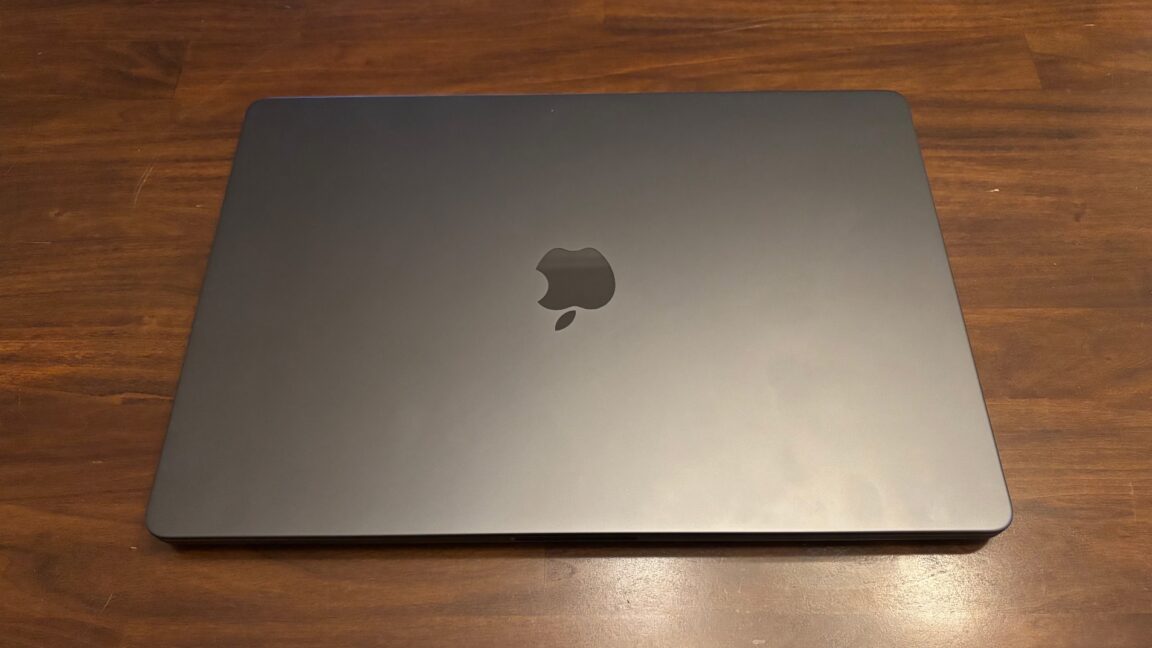
With its lid closed, the new MacBook Pro looks identical to its predecessor. The dimensions are largely the same. It’s slightly thinner, but you’d have to check the spec sheet or handle them side by side to notice.
Open the MacBook Pro and turn it on, and you’ll see one of a few other notable differences, depending on whether you’re behind or in front of it. From behind, you’ll see the Apple logo on the lid now lights up, as it did on MacBooks of yore. It’s arguably a little tacky, but it’s also neat and nostalgic. I don’t hate it.
That’s not what we got, though. The laptop has the same form factor as the previous MacBook Pro model—no tablet mode or Pencil support. Instead, it just lets you reach up from the keyboard and trackpad to touch the screen. That feels like a missed opportunity.
Some creative apps have implemented touch features that might justify the touchscreen functionality if you use them a lot. For example, you can play the on-screen virtual piano keys on Logic Pro with multiple fingers, which could be nicer than clicking on them. I imagine many people already have workflows built around other approaches, though.
If you were specifically waiting for a touchscreen on your MacBook Pro, this seems like as good an implementation as you could hope for without turning the laptop into a convertible. Apple has put real care into it. For example, it has re-engineered the hinge so the screen is not particularly wobbly when you touch it. It’s fast, accurate, and responsive. It supports multi-touch gestures like pinch-to-zoom or swiping with three fingers to switch desktop spaces.
There’s one use case I find compelling as a developer. Testing iPhone and iPad apps in the Simulator has always been a minor hassle because of the difference in input methods. You either have to approximate only a subset of the interactions available to users with a trackpad and mouse or connect an iPhone or iPad to test them that way. A touchscreen could provide a more elegant way to test such apps in Xcode, Unity, or whatever else you might use.
Unfortunately, some of the UI elements in macOS are too small for my large fingers, so I have to tap very carefully. I also keep forgetting the touchscreen is even there for hours at a time and go back to my normal habits, partly because there’s nothing you can do at the OS level that you can’t do just as easily with trackpad gestures. And as Jobs predicted all those years ago, my arm got tired while I was using it.
For me, it feels faster, easier, more comfortable, and more natural to use the keyboard and trackpad 100 percent of the time, but I admittedly have decades of muscle memory and habits built around them. There’s apparently a generation coming up with the same kind of familiarity with touch interfaces, so this feature may appeal to them. Plus, touchscreen laptops have been a thing on Windows forever, and some people seem to want to buy them, though I never quite got why without an added tablet configuration.
It’s unlikely to account for a big portion of the device’s cost compared with the rest of the OLED panel, memory, storage, and so on. So, my own bafflement aside, I’m not unhappy it’s here. I imagine it will serve those who want it well enough.
All that said, in most ways, this is still the same MacBook Pro we’ve reviewed again and again for the past few years. Touch adds a feature aimed at a particular niche, or perhaps it’s there to roll out the welcome mat for a newer generation. The display is a more substantial update and makes a compelling case for upgrading, especially if you’re coming from an older, pre-MiniLED laptop.
But this is an expensive machine. The configuration I reviewed here (16-inch, M5 Max, 128 GB of RAM, 2 TB SSD) retails for a whopping $7,399, though you could at least shave $1,600 off that by going to a more typical-for-most-people 64 GB. (The cheapest configuration starts at $2,899.)
For the vast majority of buyers, the pre-OLED version that’s still in Apple’s lineup or another MacBook altogether will offer more bang for your buck. If you’re the kind of person who wants OLED or a touchscreen, though, you probably know that already. Based on my time with the new MacBook Pro, both features deliver on their promises, even if the latter isn’t as ambitious as some of us had hoped.