
Development
This $48 e-paper display can be whatever you want it to be
November 2, 2026 Development Source: Ars Technica
Share this article



In March 2025, Seeed teased an XIAO e-paper panel on social media, prompting a community member to ask whether it could run TRMNL firmware. The question brought the two teams together, and in July 2025, they announced an official partnership to develop a DIY e-paper kit combining Seeed’s hardware designs with TRMNL’s firmware packages.
The e-paper display and control board simply ping an API to retrieve the information to display. You can even write plugins in HTML, which the screen renders as a bitmap. The trade-off is that your server needs to stay online, and maintaining it may bring some system-admin headaches some users may want to avoid. But hey, that’s why there are options.
After registering your kit’s MAC address with trmnl.com, you’ll receive what the service calls a “friendly code,” a much shorter identifier that’s easier to remember than an entire MAC address. From there, you can install plugins to display content on a schedule throughout the day.
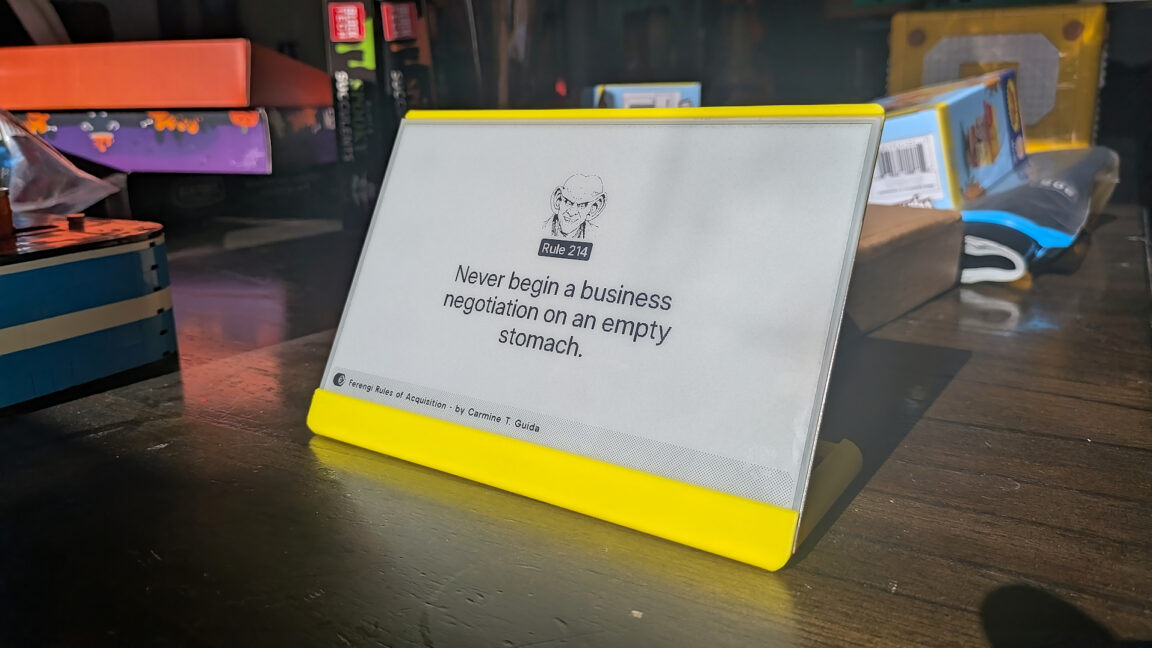
The options are vast. The marketplace contains standard fare like Google Calendar, weather, and stock quotes, alongside more niche offerings like rotating factoids about the Ferengi Rules of Acquisition in Star Trek.
I won’t lie: I spent some late nights banging my head against the desk trying to get everything running. I’d initially tried hosting it on my main Unraid machine, but I kept running into bridge networking issues. The Terminus package is a multi-container compose stack with pieces like Sidekiq worker, Postgres, Valkey, and a certificate initializer. If those containers can’t communicate with each other, nothing works.
Thankfully, I’m a weird nerd who also runs a CasaOS deployment on another machine. After I executed the bin/setup script there, everything worked as it should. The next issue was flashing back to the latest TRMNL firmware package. My unit arrived with FW 1.5.12, well behind the current 1.8.18 release.
Flashing proved to be an annoyance again because I struggled to keep the unit in flashing mode and get the web flasher to communicate with the serial port on my Fedora PC. After about 30 minutes of troubleshooting without making progress, I switched to my MacBook Pro, where the process worked on the first try. Go figure.