
Development
Adobe Premiere finally brings powerful video editing to Android, and it's free
September 23, 2026 Development Source: Ars Technica
Share this article



Video editing has never been Android’s strong suit. While Apple has long offered iMovie for iPhone and iPad, Google has never had a comparable offering. Adobe is now stepping up to fill this feature gap with a proper version of Premiere. The app is now available in the Play Store for almost all Android devices, and it’s free (mostly).
Android’s version of Premiere doesn’t offer all the features you’d get in the desktop application, but it’s a big step up from the soon-to-be-retired Premiere Rush app. You can import as many video tracks as you want, trim them, split them, add effects, and export videos in up to 4K resolution. It can even extract audio from clips, reduce background noise, and add voiceovers. The app emphasizes the YouTube Short format, even defaulting your video outputs to portrait 16:9, but you can change that to something more traditional.
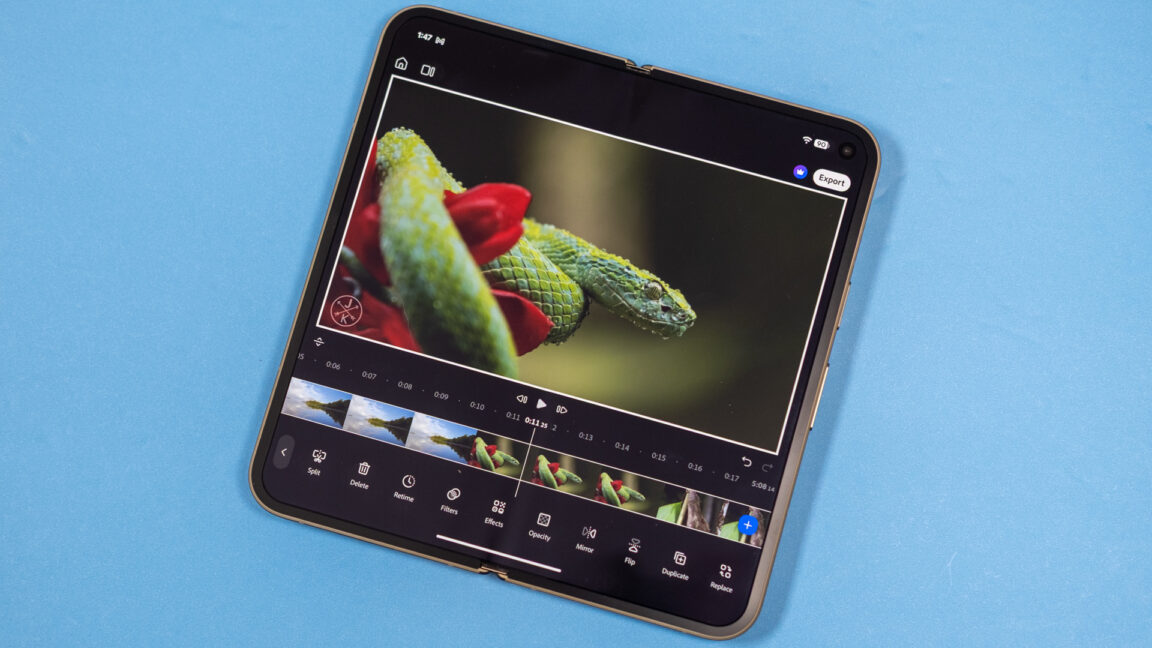
On a standard smartphone, the app splits the screen with the timeline at the bottom and preview up top. Adobe says that Premiere is optimized for multiple form factors. If you have a foldable phone, the UI adjusts to give you more breathing room, placing the timeline to the right of the video. That makes sense as the default, as Premiere wants you to make YouTube Shorts, but if you’re working with something wider, there’s a layout toggle that puts the widescreen video above the expanded timeline. The split is also adjustable if you want to make your video or timeline larger.
I tested Premiere by importing multiple high-bitrate 4K clips, and it didn’t choke. However, processing newly added video tracks can take a minute. Exporting is also not instant, but it’s faster than I expected on a Pixel, which isn’t exactly known for extreme performance. A three-minute 4K60 video in high-quality mode took about three minutes. The app is designed to work on any Android device with at least 5GB of RAM.